Home / Workflows / Floor plan to Blender
Workflow · 3DFloor plan to Blender 3D model (.blend, glTF, OBJ)
Extruda turns a 2D floor plan into Blender-ready geometry in the browser: upload an image, one-page PDF or scan, approve the drawing the AI reads from it in about a minute or two, then export a native .blend scene (every floor, furniture and finishes, lit), a GLB with materials and textures, or a geometry-only OBJ for a fast block-out.
The pipeline
- Upload. A PNG, JPG or WebP image, a one-page PDF, or a DXF, up to 30 MB each. One file per floor, up to four storeys.
- Read and approve. Extruda traces rooms, walls, doors and windows and works out the scale, usually in a minute or two. Check the drawing against the original and approve it. When you change the 2D drawing, the 3D model follows.
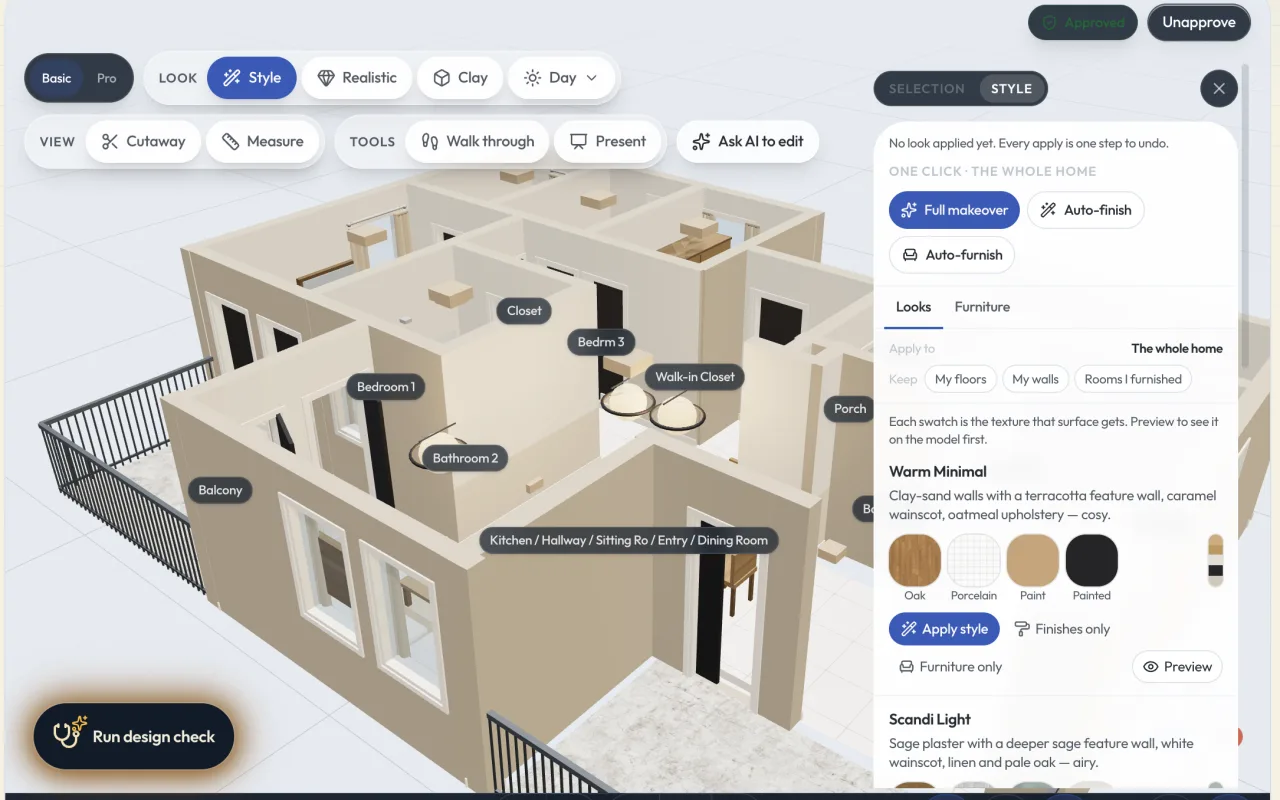
- Set up the model. In the 3D studio, pick All floors or one floor, and switch furniture on for a dressed scene or off for a bare shell. Hidden ceilings stay out of the file. Apply finishes if you want them exported.
- Export. Press Export 3D and pick a format. The button reads Building .blend… for a Blender file until the download starts.
- Open in Blender. Open the .blend directly, or File → Import for GLB and OBJ. From there, File → Export gives you FBX for Unreal or Unity, or STL for printing.
Technical specifications
| Item | Specification |
|---|---|
| Accepted inputs (web) | PNG, JPG, WebP (up to 120 megapixels); PDF, one page; DXF drawing. 30 MB per file. |
| Accepted inputs (iPhone app) | Photo of a paper plan, a sketch, or a LiDAR room scan (Pro iPhone or iPad). |
| Read time | Usually a minute or two per floor. |
| Blender (.blend) | The saved drawing as a Blender scene: every floor, furniture and finishes, lit and ready to render. Built on Extruda's servers, so it ignores the view toggles. Counts as one export once it starts. |
| glTF binary (.glb) | One self-contained file with materials and textures. Written in the browser from the model as shown: every floor or this floor, with furniture or bare shell. |
| glTF (.gltf) | The same model as readable JSON, for pipelines that inspect or patch it. |
| Wavefront (.obj) | Geometry only, no materials. Opens in essentially everything. |
| Scale | Real-world scale from the approved drawing (metric). Confirm the scale from one known length before export. |
| Multi-storey | Up to four storeys, stacked into one building. Export every floor or the floor you are viewing. |
| Not offered | FBX, STL, SketchUp (.skp): convert from OBJ or GLB in Blender. DWG Soon. |
| Watermarks | .blend is never delivered with a watermark, so it is refused on Free and on a Pro trial before its first charge; nothing is charged. |
| Plan | Pro and above: $191.67/month billed annually, $229.99 monthly. 14-day trial, card required. |
Stop tracing floor plans in Blender
Upload the plan, approve the drawing, and open a lit .blend scene or a clean OBJ block-out at real scale.
Get early access →Honest scope
- The geometry is extruded from a 2D drawing. Wall heights are standard values unless you set them; nothing is measured from the image.
- The read is AI. Check doors, windows and the scale before you approve, because every export is cut from the approved drawing.
- Large models take a moment to write in the browser. The export is unavailable while you preview a style you have not applied.
Frequently asked questions
What is in the .blend file?
The saved drawing as a Blender scene: every floor, furniture and finishes, lit and ready to render. It is built on Extruda's servers from the saved drawing, so it ignores the 3D view's toggles, and it counts as one export once it starts.
What is the fastest way to block out building geometry from a 2D plan for Blender?
Upload the plan, approve the drawing Extruda reads from it, switch the furniture toggle off for a bare shell, and export OBJ or GLB. The walls, floors and openings arrive as geometry at the plan's scale, so you can start modelling instead of tracing.
Does Extruda export FBX or STL?
No. Export OBJ or GLB and convert in Blender or any 3D tool: File, Export, FBX for Unreal and Unity, or STL for 3D printing.
Do glTF and OBJ include materials?
GLB is one self-contained file with materials and textures. glTF is the same model as readable JSON. OBJ is geometry only, with no materials. All three are written in your browser from the model as it shows on screen.
Which plan includes 3D export?
Pro and above: $191.67 a month billed annually or $229.99 monthly, with a 14-day trial. The .blend is never delivered with a watermark, so it is not available on Free or during the trial before the first charge.